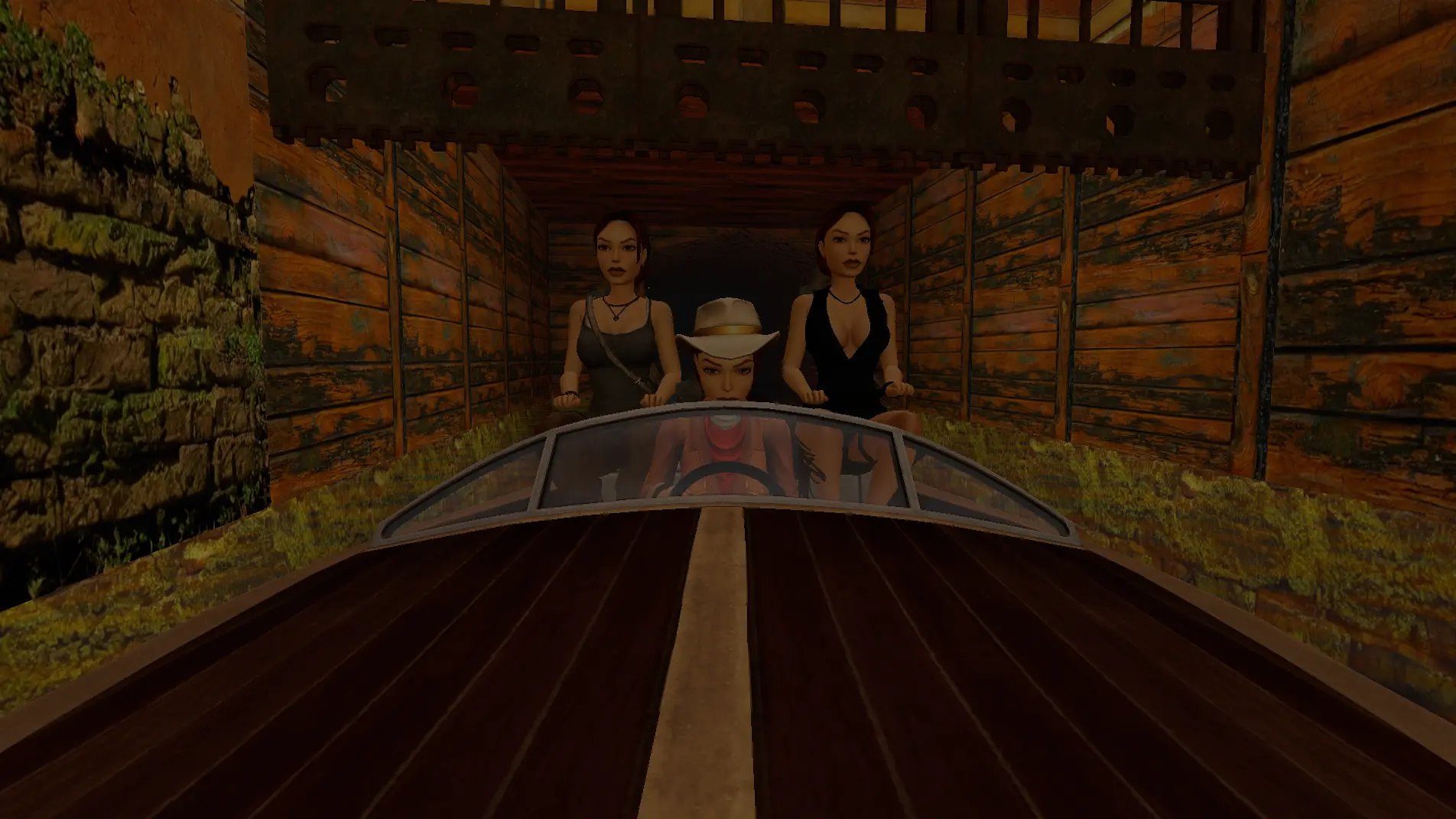
Co-op in Tomb Raider I and II Remastered puts everyone in the lobby on the same run. Same enemies, same pickups, same doors and switches, same bosses. It's free, it's a folder you extract, and this is every step from the download to playing.
It's in more languages than English now too. Set the game to Spanish, Hungarian, Portuguese or Turkish and everything the mod puts on screen follows, translated by the community, with more on the way.
You need Tomb Raider I-III Remastered on Steam, GOG or Epic, on Challenge Update 3 or 4, on Windows. Tomb Raider I with Unfinished Business and Croft Manor is in, and so is Tomb Raider II with Golden Mask and Lara's Home. III is coming. Nobody's tried it on Linux yet, so if you run it under Proton, say how it went in the Discord.
For the long version of what co-op shares and how it works, read more on the co-op page.
1. Download it
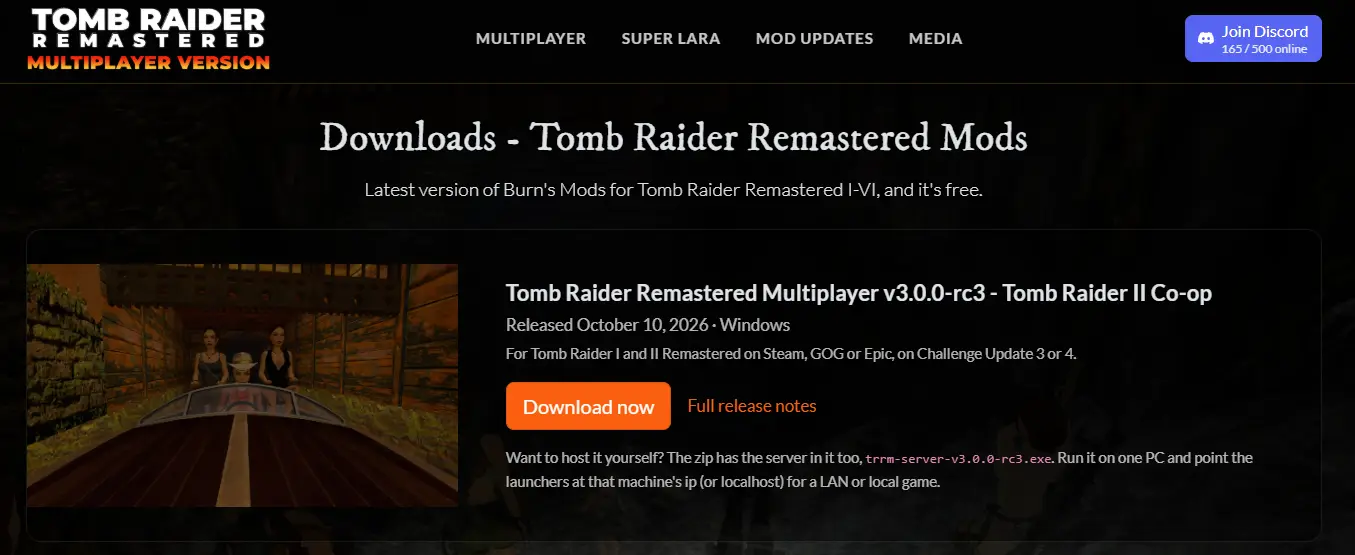
Go to the downloads page and grab the v3 zip. No installer, nothing to uninstall later, and it sits alongside v2 if you've got that installed, just don't run both into the same game at once.
2. What's in the zip
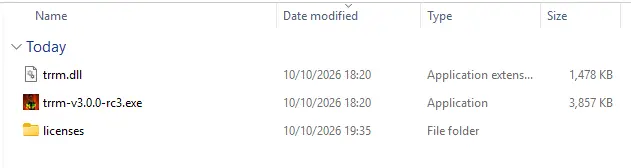
Extract it anywhere you like, inside the game folder is fine. You get a folder with three things in it:
- the launcher, the trrm exe with the version in its name
- trrm.dll, which is the mod itself. Keep it next to the launcher or nothing runs
- a licenses folder
Nothing gets written next to the exe or into the game folder. Everything the mod saves, settings, key bindings and logs, goes to %APPDATA%\tomb-raider-remastered-multiplayer. No admin rights needed.
The server exe sits next to that folder in the zip. You don't need it to play on the community server, it's only for hosting your own, which is section 3.
The exe isn't signed, so the first time you run it Windows puts up "Windows protected your PC". Click More info, then Run anyway.
3. Running your own server
Skip this if you're playing on Burn's Community Server. The launcher points there out of the box and it's the quickest way in. Run your own for a LAN game, a private server, or just everything on one machine.
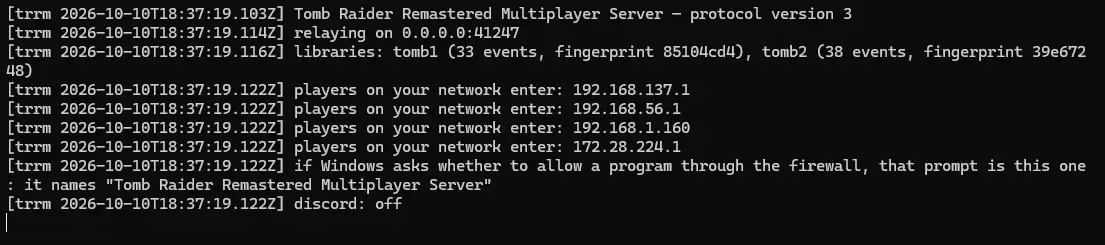
- Double-click the server exe. A console window opens and every line is stamped with the time.
- When it's ready it says what it's relaying on, port 41247, and prints a line like "players on your network enter: 192.168.1.20". That's the address your friends type in.
- Windows asks whether to let "Tomb Raider Remastered Multiplayer Server" through the firewall. Tick Private networks and allow it.
- Leave the window open. Close it to stop the server.
Playing over the internet: forward UDP 41247 to the hosting PC and give your friends your public address. Same PC as the game: use 127.0.0.1. On a LAN: the address from step 2.
Then everyone, you included, runs the launcher with Custom Server picked and that address in the Server address box. Host on its own, or host:port if you changed the port.
Nothing survives a restart, the world lives in memory. To change the port or the bind address, run it with --port or --host, or put port and host in the ini file next to the exe.
Everyone has to be on the same build as the server.
4. The launcher
Run the launcher. The first page is the logo and a PLAY NOW button, so press that.
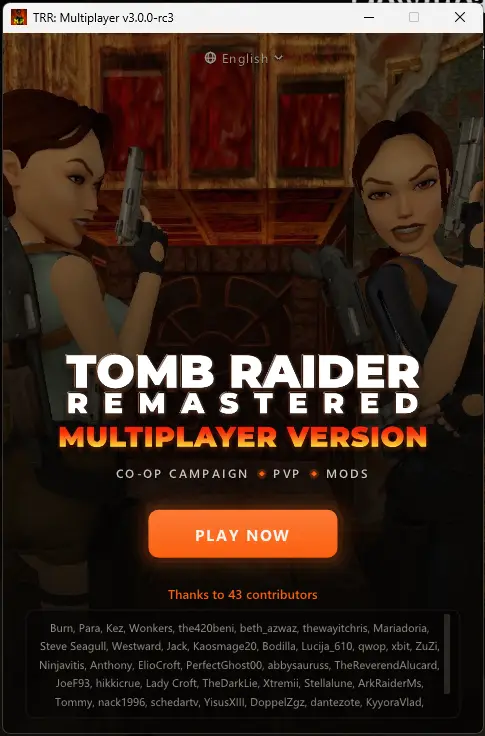
Game
Under GAME it should already say Tomb Raider I-III Remastered, with your store and patch under it. If it says "No game selected", hit Browse and pick tomb123.exe from your game folder.
You don't choose TR1 or TR2 here, you do that in the game's own menu like normal.
Multiplayer
- Server. Burn's Community Server is the default and the address is built in. Custom Server shows a Server address box, host or host:port, for a server from section 3. Offline gives you every mod and none of the multiplayer.
- Username. The name over your head. Up to 31 characters, and it can't be blank online.
- Lobby. Public Lobby puts you in with everyone on the server. Enter a lobby code shows a Lobby code box: up to 8 letters and numbers, lowercase gets turned into capitals. A lobby is per game and per level, so the same code on TR1 and TR2 never meets. Agree a code with your friends and you'll only see each other.
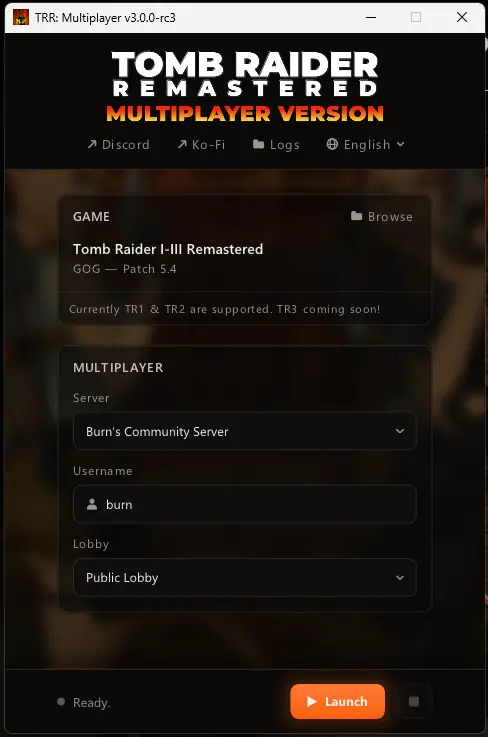
Launch
Start the game the normal way first, from Steam, GOG or Epic, and get to the title screen. Then press Launch. It attaches to the running game. If the game isn't running it starts tomb123.exe itself and waits up to a minute for it.
The status at the bottom runs through Starting, Attaching, Waiting for tomb123.exe, tomb1.dll and tomb2.dll, then Running with your store and patch in brackets, and the dot lights up.
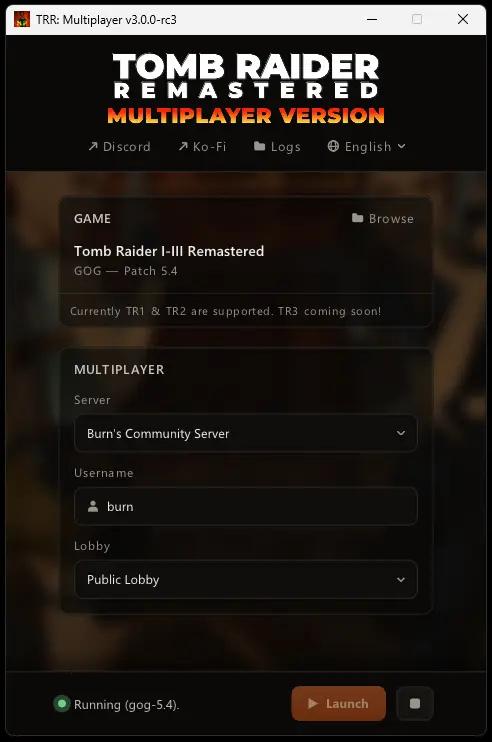
Leave the launcher open while you play, minimised is fine.
Stop
The square button in the footer is Stop. It pulls the mod out and the game carries on unmodded. To change server, lobby or name: Stop, change it, Launch again. If it says the game's still running inside the dll, go back to the title screen and press Launch again, or restart the game.
The launcher remembers your name, server, lobby and game path in trrm-launcher.ini in that AppData folder. Delete the file to reset it.
5. First thing you'll see
Top left of the screen, on the main menu and in every level, there's a label: TRR: Multiplayer and the version. Online, a coloured dot and a player count sit next to it.
- Green dot. Connected, and synced if Coop Environment is on.
- Orange dot. Connecting, or connected and still syncing.
- Red dot. Offline or dropped. It reconnects on its own after 10 seconds of silence.
On the main menu the count is everyone on the server. In a level it's everyone in that level, you included. If a scaler's above 1x, EHP 2x or QTY 3x gets tagged on the end. The label hides in photo mode and nothing else turns it off.
Under the label on the main menu is the player list: Main Menu and a count, then every level with someone from your lobby in it.
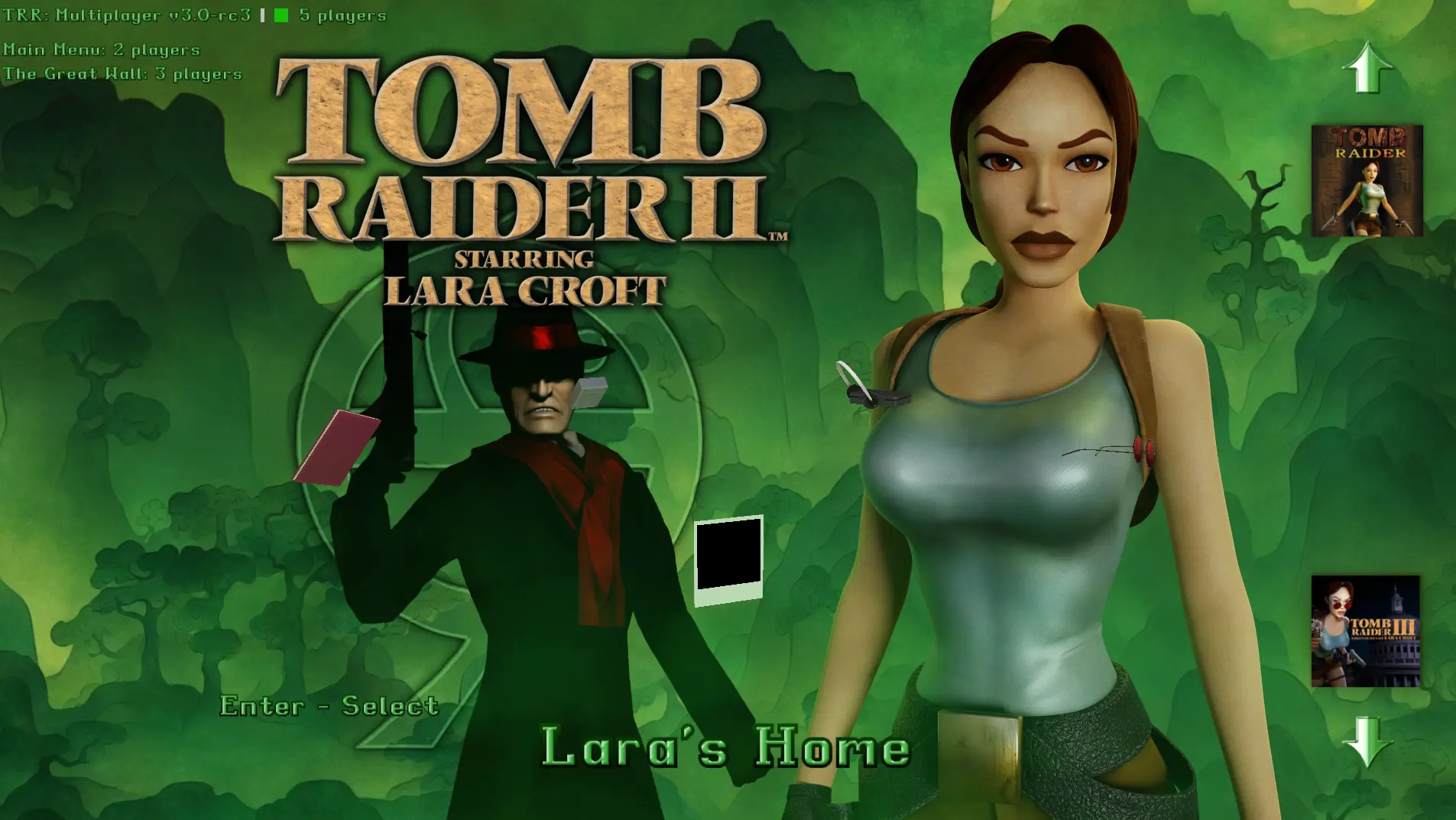
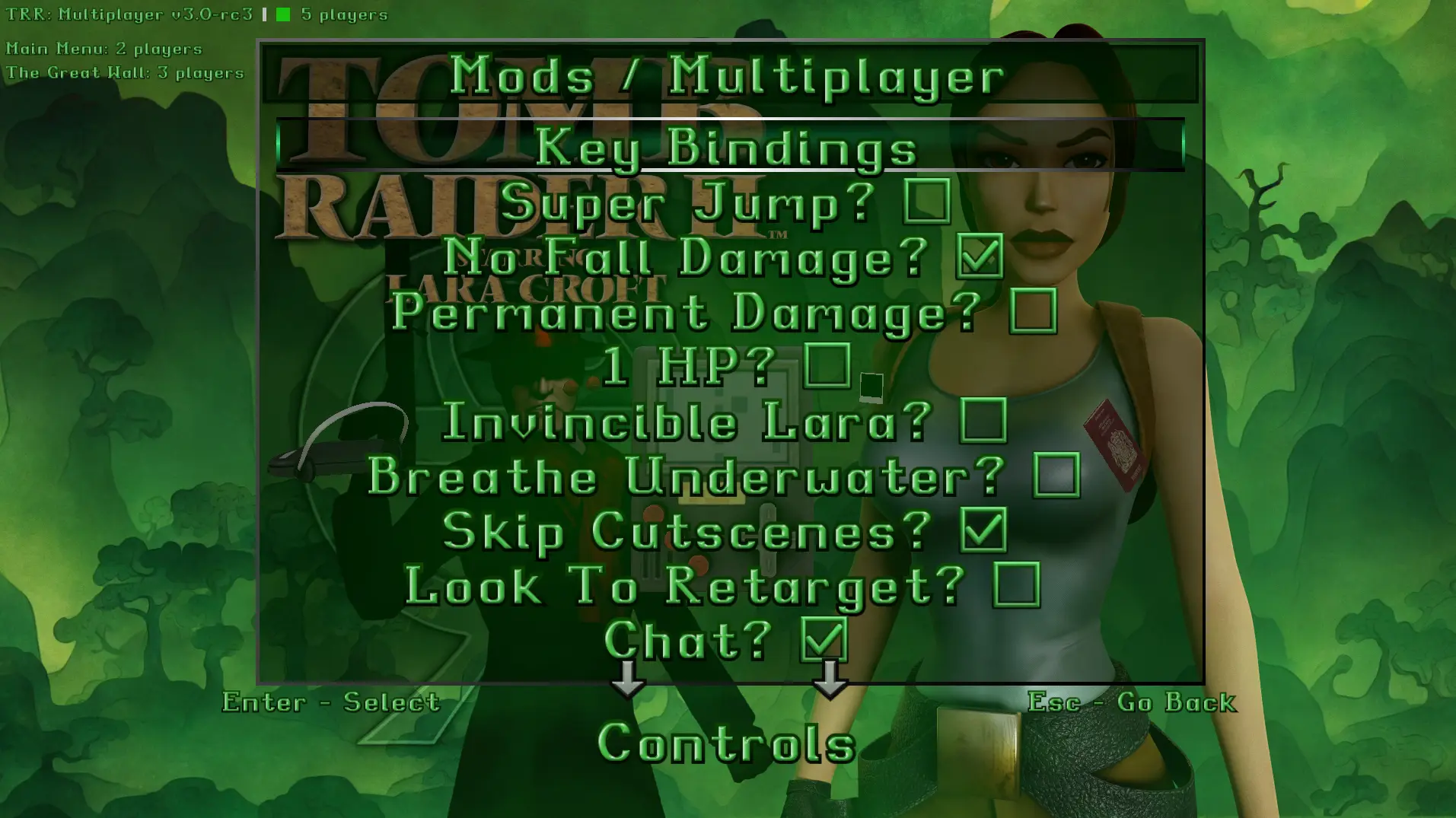
Open Control Settings, from the main menu or the pause menu, it's the same either way, in TR1, TR2 and the home levels. The first row reads Mods / Multiplayer, or just Mods when you're offline. Select it.
6. Every option in Mods / Multiplayer
In the order they're on the page. Every one works in TR1 and TR2, bar the one marked.
- Key Bindings. Opens the bindings page, section 7.
- Super Jump. Off. Every jump leaves the ground higher. It's yours alone, so you can jump somewhere your mate can't.
- No Fall Damage. Off. Drop from anywhere.
- Permanent Damage. Off. Health carries into the next level instead of refilling, and the health bar stays on screen.
- 1 HP. Off. Lara's held at 1 HP every frame and every level starts there, so anything that touches her kills her. Can't be on with Permanent Damage or Invincible Lara.
- Invincible Lara. Off. Damage, lava, drowning, spikes, boulders, all blocked, and health and air refill every frame. Off in Challenge Mode.
- Breathe Underwater. Off. The air bar never drops.
- Skip Cutscenes. Off. FMVs and cutscenes end the moment they start, on your machine only. The others watch theirs.
- Look To Retarget. Off. Mid-fight, tap Look while you're locked on and firing and Lara swaps to the next enemy.
- Chat. On. Off and the chat key and box do nothing.
- Nameplates. On. Names over heads, hidden behind walls.
- Health Bars. On. A short bar under each name.
- PvP. Off. You can hit and be hit only while yours is on, and a hit only lands if theirs is on too. Guns, grenades, harpoons and running someone over all count.
- Coop Environment. On. The big one. Enemies, doors, pickups, switches, traps, puzzles and bosses are shared. Off and you see each other but play your own game. Dimmed in Challenge Mode, which doesn't do co-op.
- Coop Weapons. On. Guns and ammo go in one shared pool. Dimmed while Coop Environment is off.
- Coop Medi. On. Same for medipacks.
- Spawn Vehicles. Off, TR2 only. Lets you spawn a boat or skidoo of your own next to a partner's. More in section 8.
- Enemy Health. 1x to 10x, Left and Right or Select to cycle. Every enemy in the level gets that much health.
- Pickup Qtys. 1x to 10x, same controls. One item on the floor and you get that many.
Everything on that list is yours. Flip it whenever, mid-level included, and it saves straight away, one set of settings across TR1 and TR2. Two exceptions. In a shared level the two scalers come from the first machine to sync it, and everyone adopts them for that level. Offline, or with Coop Environment off, they're yours and apply at once. And New Game+ has to match: join a level on the other mode and you'll see "Co-op needs matching NG+ mode" and play it unshared.
Turning Coop Weapons or Coop Medi on mid-level asks the server for a fresh copy of the world, so expect a short sync.
Some rows grey out, and it's always for a reason: the multiplayer rows when you're offline, Coop Weapons, Coop Medi and Spawn Vehicles while Coop Environment is off, Invincible Lara under 1 HP, Breathe Underwater under Invincible Lara, and the Chat key while Chat is off.
7. Key bindings
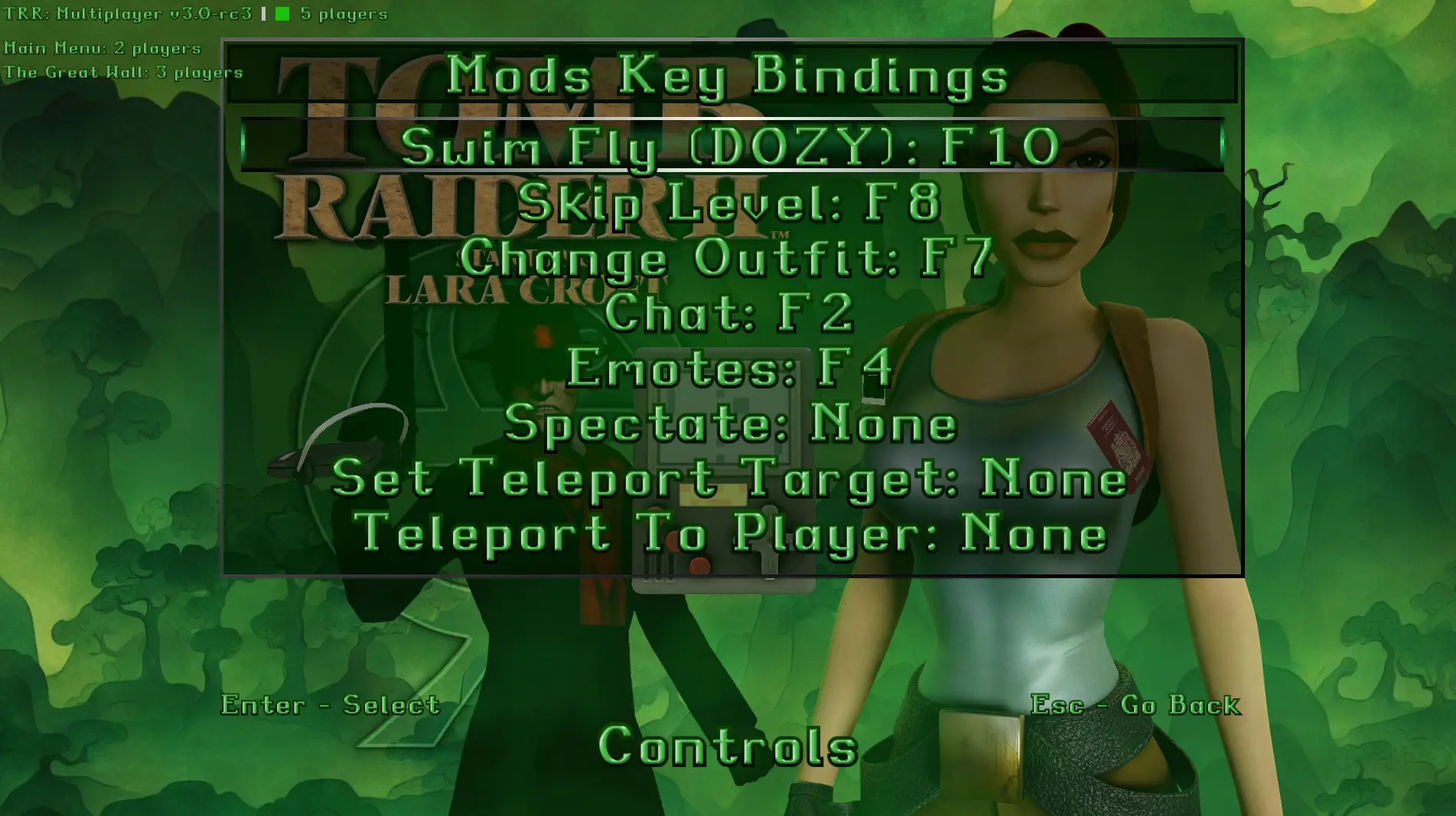
Control Settings, Mods / Multiplayer, Key Bindings. The page is called Mods Key Bindings and has eight rows:
| Key | Default |
|---|---|
| Swim Fly (DOZY) | None |
| Skip Level | None |
| Change Outfit | None |
| Chat | F2 |
| Emotes | None |
| Spectate | None |
| Set Teleport Target | None |
| Teleport To Player | None |
Select a row and it shows the name and three dots until you press a key, then it shows the key. Escape or Back while it's waiting clears it to None. A key the game already uses is refused, and so is a key another row's got. Keyboard only, you can't bind a pad button. Bindings save straight away and are the same in TR1 and TR2.
Only Chat comes bound, to F2. Bind the rest before you go looking for them.
What they do:
- Swim Fly. Press it on land and Lara flies using the swimming moves. Press again, or hit water, to drop out. She's on underwater moves while she's up there, so no land pickups until you come down.
- Skip Level. Ends the level for you and nobody else.
- Change Outfit. Next outfit, live, mid-level. No menu.
- Chat. Opens the chat box, section 8.
- Emotes. A line appears over Lara and Left and Right cycle Wave, Cheer, Dance, Bow and Nod. Everyone in the level sees it.
- Spectate. Follows a partner with the chase camera. You get a Spectating tag under your name, they get an N watching counter top centre.
- Set Teleport Target and Teleport To Player. Teleport without typing. The first picks who, with the pick previewed in the chat area, the second sends you to them.
8. Playing together
Getting into the same run
Same server, same lobby code, same game, same level. Save slots don't matter. New Game+ has to match. Challenge Mode turns co-op off. Unfinished Business, Golden Mask and the home levels are ordinary levels of their game and share the lobby with it.
The first one in loads the level as normal. Everyone after that, by New Game or a save, sits on the loading screen at Synchronizing until the world arrives.
You know you're in when the dot's green, the count's above one, the chat says someone joined, and there's a name over their head.
Chat and teleport
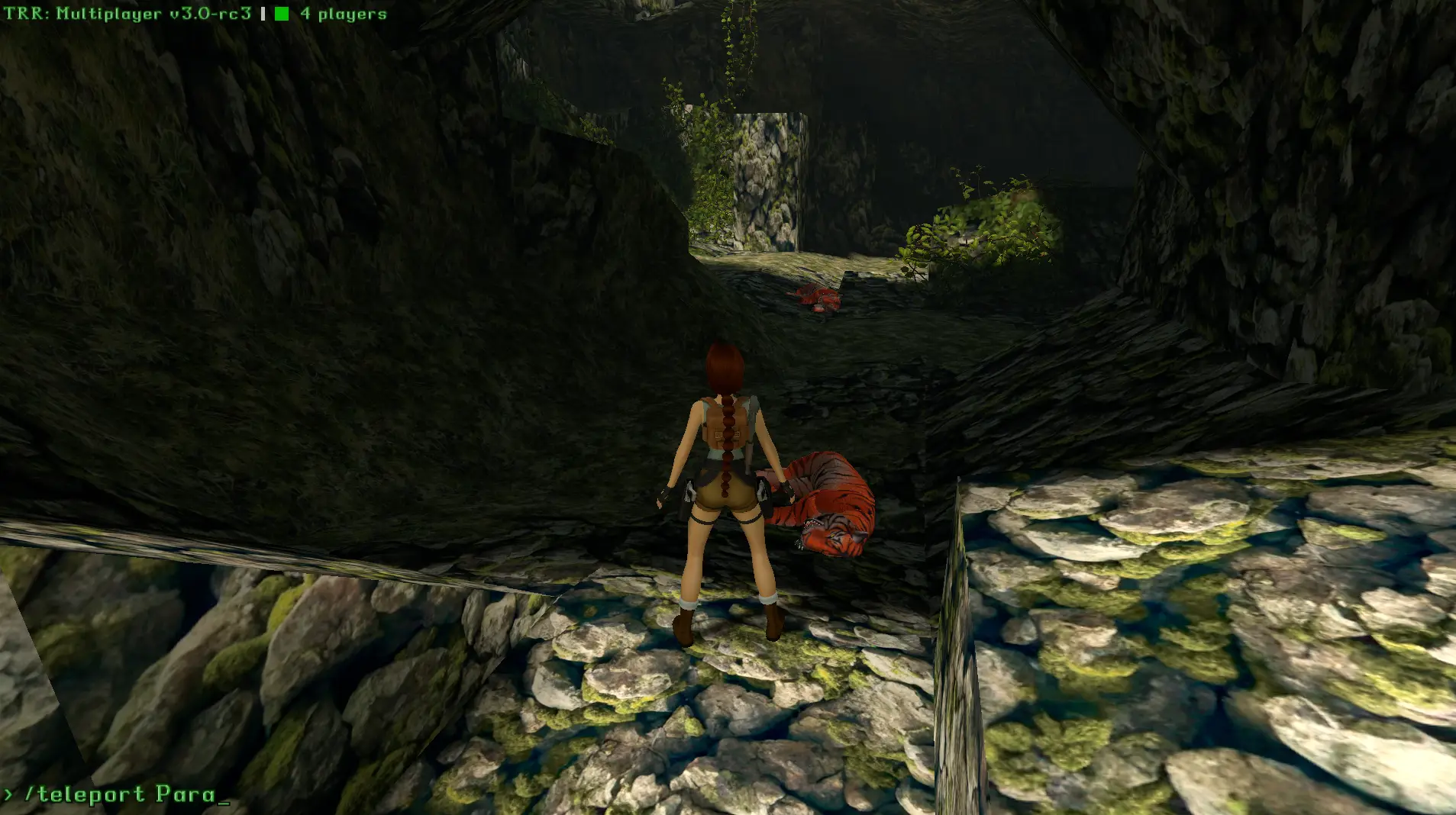
Press the chat key, type, Enter sends, Escape closes. Lara doesn't move while you're typing. The box hides in photo mode and on the main menu, and messages only go to the people in your level and lobby.
Two commands:
- /teleport and a name puts you next to them. Type the first letter or two and press Tab and it fills in the rest. Names with spaces are fine, everything after the command is the name. Everyone sees who teleported to who.
- /teleportx with x, y and z, and a room number if you want, puts you at a spot.
Teleport is same level only, someone in another level is "not found". In TR2 Lara has to be on foot, so get off the skidoo first.
Names, bars and hints
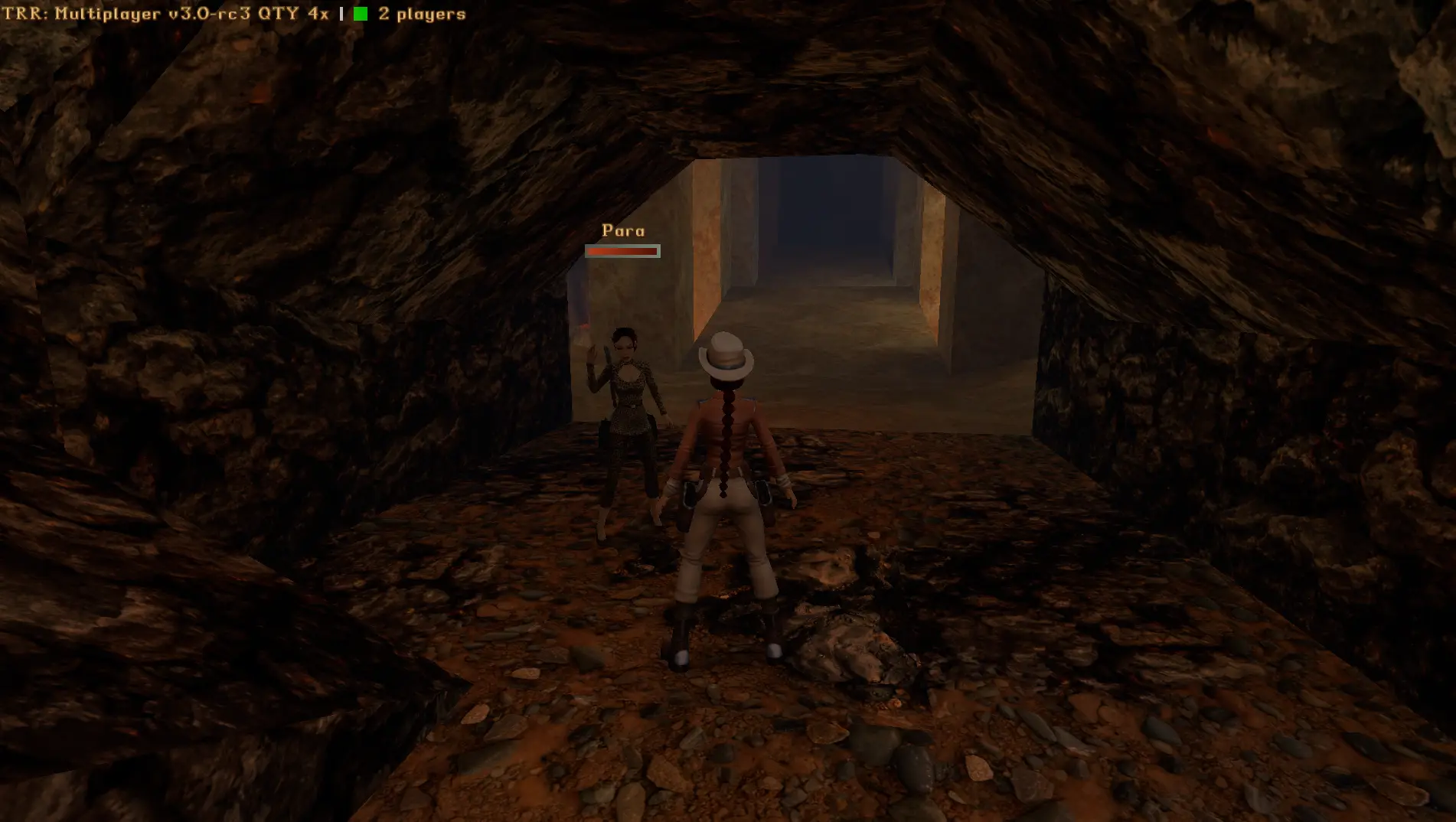
A name and a short health bar over every partner, hidden when there's a wall in the way. Spectating under a name when they're watching someone. And a hand icon with a hint whenever Action does something extra: Reset trap, Reset zipline, Ride Boat, Ride Skidoo, Spawn Boat, Spawn Skidoo.
Dying
Only you die. Pick Load Game or Restart Level from the passport and you're back in the level as it is for everyone else, doors open, enemies dead, pickups gone, and you carry on from there.
Saving and loading
The game's own passport, same as always. A load takes the partners' world over the one in the save, so loading never resets a shared level, it just puts you back where you were.
Level ends
Hit the finish and the level ends for you. The others get a completed-the-level notice and play on, nobody waits. A few ends take everyone through together: in TR1, Larson going down in Tomb of Qualopec, and taking the Scion in Sanctuary of the Scion and in Atlantis; in TR2, the giant yeti dying in Ice Palace.
Syncing mid-level
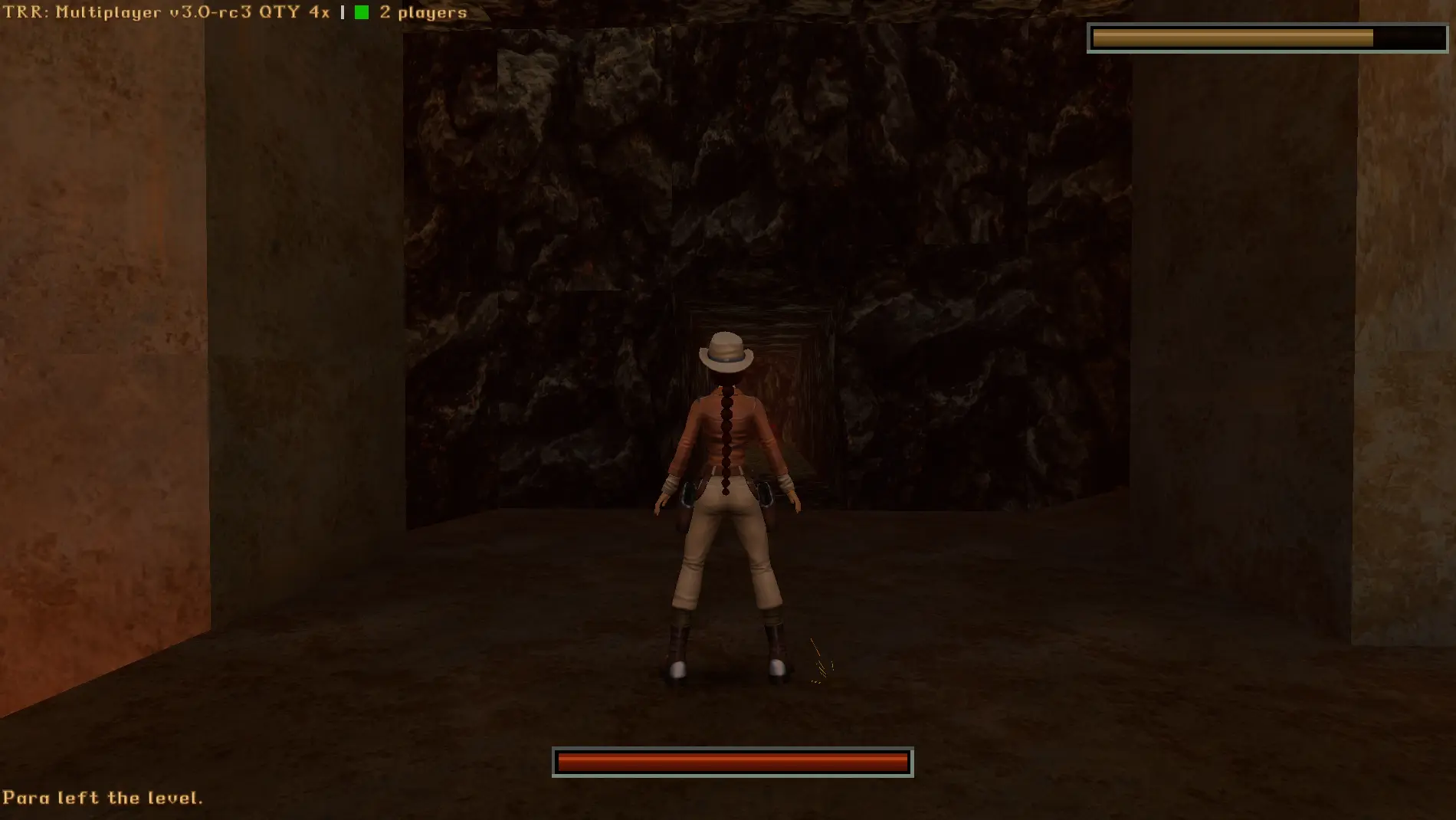
If the chat says Syncing environment, the world's being refreshed. Leave switches and pickups alone until it clears, they won't take anyway.
Tomb Raider II: boats and skidoos
Vehicles are shared. Whoever's driving owns it and the rest can ride along: walk up, Action on Ride Boat or Ride Skidoo, and you're a passenger. With Spawn Vehicles on, Action next to a partner's vehicle offers Spawn Boat or Spawn Skidoo for one of your own. Blow one up and everyone on it dies, and the wreck stays.
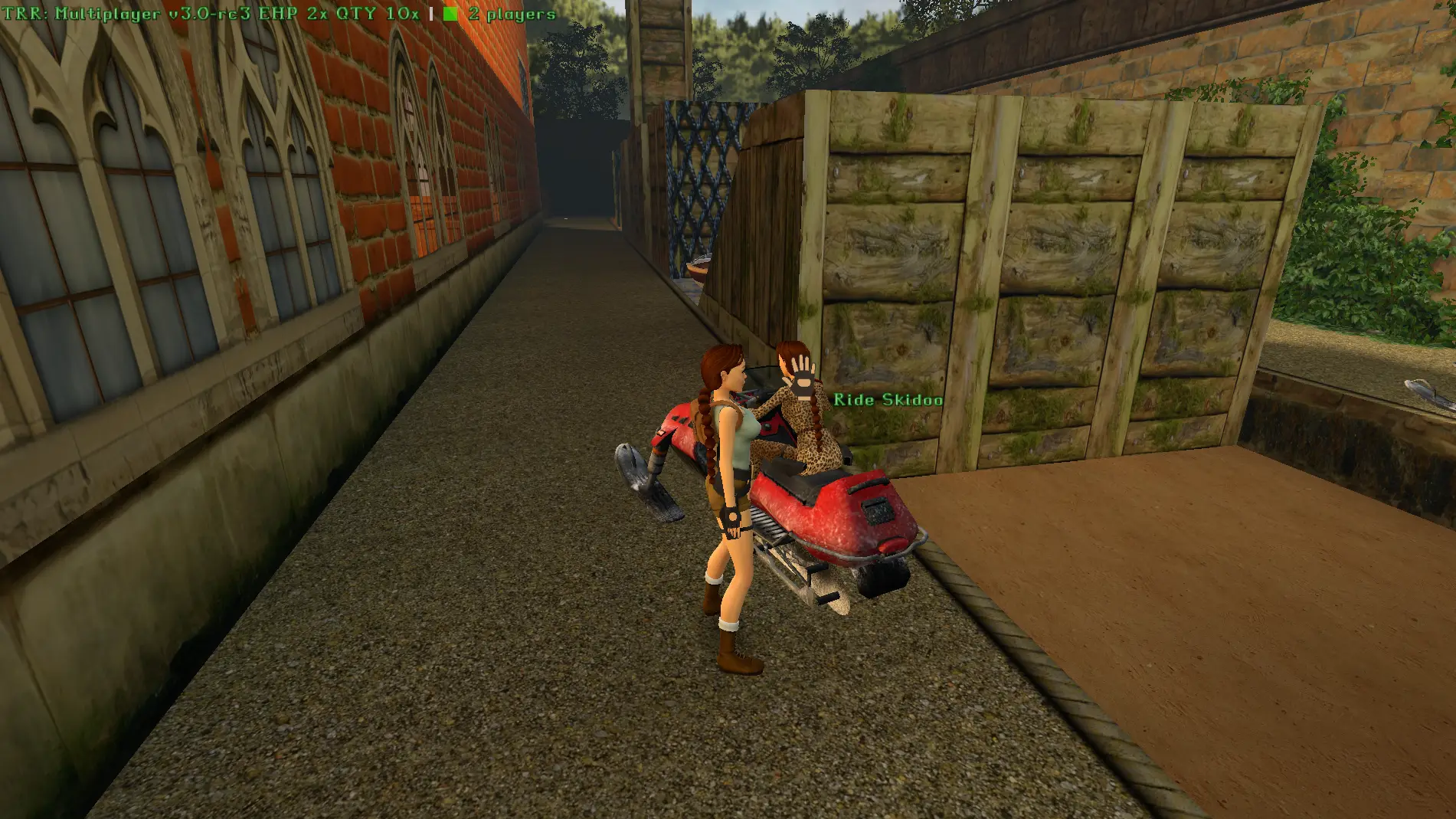
Photo mode
Everyone in photo mode shows in their own pose, face and weapons, so group shots work. The label, chat, names and hints all drop out for the picture.
9. When it goes wrong
| What's happening | Usually | Do this |
|---|---|---|
| Can't see each other | Different server, lobby code, game or level, or a New Game+ mismatch | Check the list under the label on the main menu |
| Stuck on Synchronizing or Syncing environment | The world isn't arriving, the player seeding it left or the link dropped | Stop, then Launch again |
| Chat key does nothing | Chat off, key unbound, photo mode, or a pad | Bind it under Key Bindings, on the keyboard |
| "No game selected" | Not the Steam default path | Browse to tomb123.exe |
| "Unknown build" | A patch the mod doesn't know, or an altered exe | Get on Challenge Update 3 or 4, and post the fingerprint it shows |
| Dot stays red | Wrong address or port, the host's firewall, no port forward, or a build mismatch, which the chat area tells you | Check the address, UDP 41247, and that everyone's on the latest download |
| "trrm.dll not found" | The dll's been moved or an antivirus took it | Put it back next to the launcher, re-extract the zip if it's gone |
| "TRRM is already running" | It's already in the game | Stop first, or just play |
| "cannot open tomb123.exe" | Permissions | Run the launcher as administrator |
| Crash on Launch | Post the log | |
| A door opened or the map flipped on its own | A partner did it, that's co-op | If nobody did, post the log |
Logs: the Logs link at the top of the launcher opens the logs folder in AppData, one file per Launch, the newest 20 kept. A post in #feedback on the Discord needs the log from each player, the Running line from the launcher, the level, and what you were doing. That saves a lot of guessing.
10. Updating and removing
New version out: delete the old folder, extract the new one, done. Your settings, key bindings and emotes list live in AppData and carry over.
To remove it, delete the folder, and the tomb-raider-remastered-multiplayer folder in AppData if you want it all gone. Nothing in the registry, nothing in the game folder. Achievements are off while the mod's attached and come back the moment you Stop.
Join us on Discord
The Discord is where the co-op sessions get arranged, where the bugs get posted, and where you'll find someone to play with at most hours of the day. It's also where the translations come from, so if you want the mod in your language, say so there.
Keep it going
The mods are free and stay free. Co-op was a rewrite from the ground up, every game patch means another round of matching, and the community server isn't free to keep up. If you've had a good few hours out of a shared run, chip in on Ko-fi, one-off or monthly, and you get a Discord role and your name in the footer.